Zoom License Reservation
Boun instructors and teaching assistants can schedule uninterrupted Zoom sessions (up to 4 hours) by requesting Zoom license.
 Click here to log into the Zoom License Reservation System.
Only the person who creates and starts the Zoom session is required to reserve a license. Co-hosts and participants do not need to get a license.
The Zoom reservation system has been developed by the BOUN IT Center for daily and regular licensed use of the Zoom rooms. When you make a reservation in the system, your e-mail account with boun.edu.tr extension will become licensed for the time intervals you specified.
Please log in on https://zoomlicense.boun.edu.tr/login
with your boun.edu.tr account and password. (Your e-mail password)
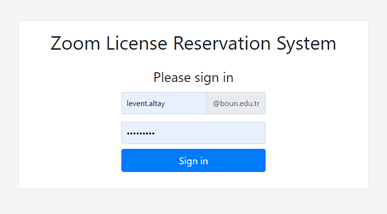
After login,

- Choose a date (1), a start time (2) the duration (max 4 hours) (3) and weekly repetition (4) for your course (5) and indicate why you need the license (long session and/or need to record and upload to cloud) (6).
- You can only reserve licenses for the next 100 days (on a rolling basis).

- For example, if you need a full license for four weeks between 9 am – 11 am, you should request a reservation that starts at 08:50 am for 2 hours.
- If we have sufficient licenses for your request’s duration, you will be allocated a Zoom license automatically. Wait for the “Success! Your license request is approved” (7) message at the top of the window after you submit your reservation. You will also receive an e-mail with the subject “Zoom License Reservation Created” about the result of your reservation.
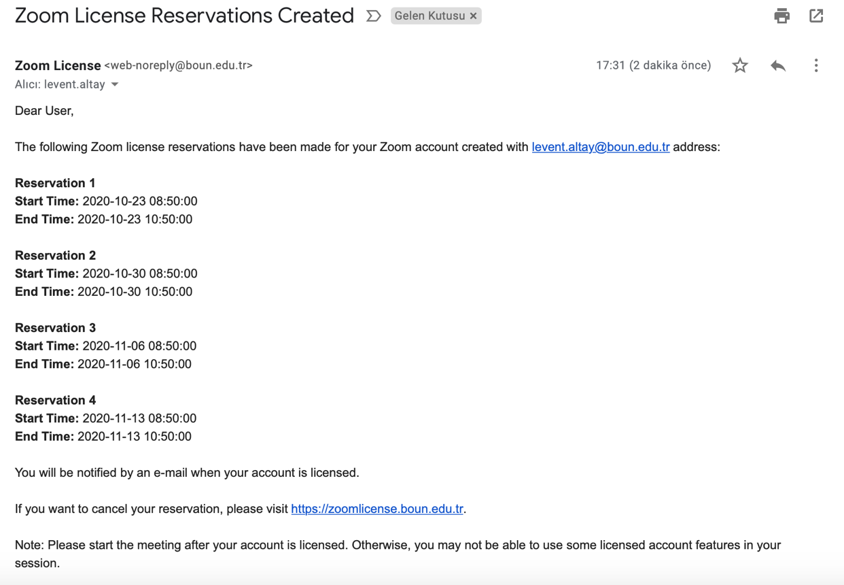
- You cannot make two reservations for the same hour. You can cancel your reservation if you make a mistake (8).
- You are going to use your own BOUN Zoom account with your password.
- Continuing with the example, you will receive another e-mail at 08:50 am with the subject “Zoom License Granted,” which indicates that you are granted a license between 08:50-10:50 am.
- This means that your personal basic educational license will be converted to a full educational license for the duration of your reservation.
- You should start your live session from Moodle after you are granted a full license (after 8:50 am). You will have two uninterrupted hours for your session under a full license. You can record your session and upload it to the Panopto cloud directly. You can administer polls. You can end the session and restart if you like. You will be fully licensed during this period.
- At 10:50, your license will be automatically revoked (to be transferred to another user). At this time, your license type will be basic again, and you can continue for another 40 minutes without interruption if you want. We suggest that you stop your recording before your full license expires, although it seems that the cloud recording continues even after your license is revoked.
- If we do not have a sufficient number of licenses to grant for the day of your reservation, your request will be denied, and you will have to continue with your basic account. The reservation is made on a first-come-first-served basis.
- Please send any questions you may have to moodle@boun.edu.tr
Zoom lisansı rezervasyon sistemi, Zoom odalarının günlük ve periyodik lisanslı kullanımının sağlanmasına yönelik olarak Bilgi İşlem Şube Müdürlüğü’nce geliştirilmiştir. Sistemde rezervasyon yaptığınızda, belirttiğiniz zaman aralıkları için boun.edu.tr uzantılı e-posta hesabınız uzun süreli kullanımlar için lisanslı hale gelecektir.
https://zoomlicense.boun.edu.tr/login adresinden boun.edu.tr e-postanız ve şifreniz ile giriş yapınız.
Giriş yaptıktan sonra gelen ekranda;
-
Dersiniz için bir tarih (1), bir başlangıç zamanı (2) ve süresi (en fazla dört saat) (3) ve haftalık tekrar sayısı (4) seçin, Dersinizin kodunu yazın (5) ve neden lisansa ihtiyacınız olduğunu belirtin (6) (uzun oturum ve / veya buluta kaydetmeniz ve yüklemeniz gerekmesi).
Aynı saat için iki rezervasyon yapamazsınız.
Örneğin, 23.10.2020 günü sabah 09.00-11.00 arasında dört hafta boyunca lisansa ihtiyacınız varsa, 08:50'de başlayan saat için 2 saatlik rezervasyon ve dört tekrar talep etmelisiniz.
-
Talebinizin süresi boyunca yeterli lisansımız varsa, size otomatik olarak bir Zoom lisansı verilecektir. Success/Başarı mesajını gördüyseniz lisans işleminiz tamamlanmıştır (7).
Hata yaparsanız rezervasyonunuzu iptal edebilirsiniz (8).
Ayrıca rezervasyonunuzun sonucuyla ilgili olarak “Zoom Lisans Rezervasyonu Oluşturuldu” konulu bir e-posta gönderilecektir. (Lütfen SPAM klasörünü de kontrol ediniz.) Bu, kişisel lisansınızın, rezervasyonunuz süresince tam eğitim lisansına dönüştürüleceği anlamına gelir.
-
Canlı oturuma lisans verildikten sonra Moodle üzerinden başlamalısınız. Bu şekilde, oturumunuzu kaydedebilir ve doğrudan Panopto bulutuna yükleyebilir, anketleri yönetebilirsiniz. İsterseniz oturumu sonlandırabilir ve yeniden başlatabilirsiniz. Bu süre zarfında tamamen tam lisanslı olacaksınız.
Örnek için, saat 10.50'de lisansınız otomatik olarak iptal edilecektir (başka bir kullanıcıya aktarılacaktır). Lisansınız bu saatten sonra yeniden temel olacak ve isterseniz kesinti olmadan 40 dakika daha devam edebilirsiniz. Kaydınız, lisansınız iptal edildikten sonra bile devam ediyor gibi görünse de tam lisansınız sona ermeden önce durdurmanızı öneririz.
Rezervasyonunuzun yapıldığı gün için yeterli sayıda lisansımız yoksa, talebiniz reddedilecek ve temel hesabınızla devam etmeniz gerekecektir. Rezervasyon ilk gelene ilk hizmet esasına göre yapılır.
Lütfen sorularınızı moodle@boun.edu.tr adresine gönderiniz.